The Invisible Upload
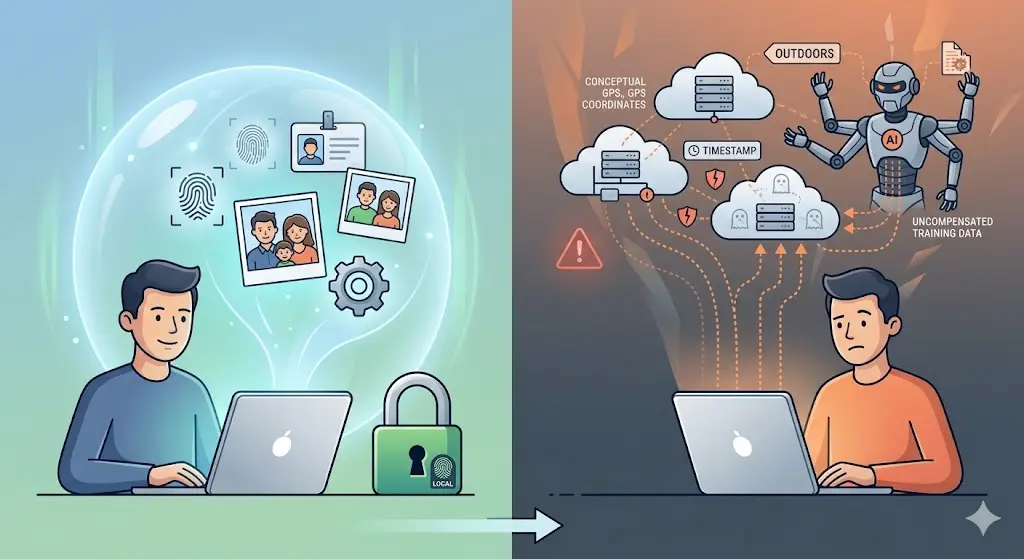
Every time you use a cloud-based AI tool, a background remover, a photo enhancer, an image compressor, an object detector, the same invisible sequence plays out: your file leaves your device, travels across the internet to a server you do not control, gets processed by software you cannot inspect, and a result comes back. The file might be deleted immediately. It might be retained for 30 days. It might be used to train a future model. You are told which of these is true, but you have no way to verify it.
This is not a hypothetical risk. It is the default architecture of every cloud AI product, and it has real consequences for anyone using these tools with sensitive images.
Running AI models in the browser changes this at the architectural level. It is not a privacy feature bolted on top of a server-side system. It is the removal of the server from the equation entirely.
What "Server-Side AI" Actually Exposes
When you upload an image to a cloud AI tool, you are not just sharing the pixels. You are sharing:
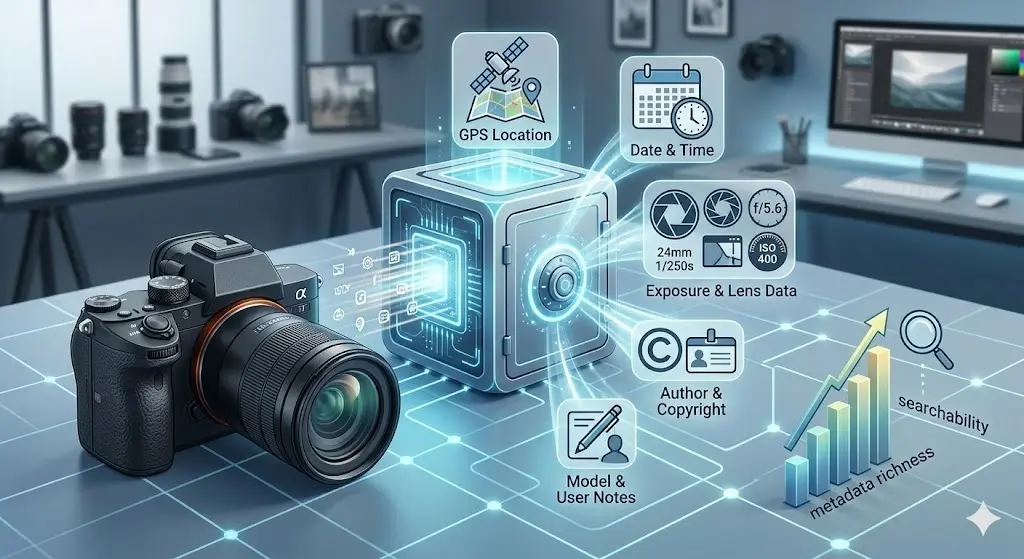
- The file itself - its full content, potentially including embedded EXIF metadata: GPS coordinates, device serial number, timestamps, camera make and model
- Your IP address - which can identify your approximate location and, in combination with other data, potentially identify you as an individual
- Your usage patterns - which files you process, how often, at what times, in what sequence
- Browser and device fingerprint - user-agent string, screen resolution, installed fonts, and other signals that ad-tech uses to track users across sites
- Any context the file carries - a photo of an ID card is not just an image file; a screenshot of a medical record is not just pixels
For a tool compressing a photo of your dog, none of this matters much. For a tool processing a passport scan, a legal document, a medical image, or an unreleased product photo, each item on that list is a meaningful exposure.
What "Client-Side AI" Actually Means
Client-side AI means the model, the neural network weights, the inference engine, the pre- and post-processing code, runs inside the user's own browser, on the user's own hardware, using the user's own memory and CPU.
The server's role is reduced to one thing: serving the initial web page and the model file. After that, the server is out of the loop. The image you want to process never leaves your device. It is loaded into browser memory, processed there, and the result is written back to browser memory for download. No network request carries your image data. No server log records it. No database stores it.
This is not a claim that requires trust. It is a property you can verify yourself, open your browser's DevTools, go to the Network tab, and watch what happens when you drop a photo into ZeroPNG's background remover. You will see the model file downloaded once, and nothing else. No upload request. No image data leaving your machine.
The Technology That Makes It Possible
Running a neural network in a browser tab was not feasible until recently. Two technologies changed that.
WebAssembly
WebAssembly (WASM) allows code written in compiled languages like C++ to run inside a browser at near-native speed. Before WASM, every browser computation had to go through JavaScript, a language fast enough for UI logic but far too slow for the billions of floating-point operations a neural network requires. WebAssembly executes at speeds within 10–30% of native machine code. That closes the gap between "theoretically possible" and "actually usable in a two-second interaction."
ONNX Runtime Web
ONNX Runtime Web is Microsoft's open-source inference engine compiled to WebAssembly. It accepts neural network models in the ONNX format, a universal standard that any major deep learning framework can export to, and executes them using the best available browser backend: WASM for universal CPU-based inference, WebGL for GPU acceleration, or WebGPU for next-generation GPU compute.
Together, these two technologies mean that a production-quality segmentation model like ISNet, the same model that would run on a server GPU in a cloud tool, can execute in your browser in 2–5 seconds on ordinary consumer hardware. The quality is the same. The latency is comparable. The privacy properties are fundamentally different.
Why This Is Specifically Important for AI Tools
The privacy stakes for AI tools are higher than for traditional file converters, and the reason is straightforward: AI tools are primarily used on high-value images.
Nobody uses an AI background remover on a stock photo they downloaded from Unsplash. They use it on product photos they have not published yet, portraits of real people, screenshots of real documents, images that carry context or value beyond their pixel content. The category of file that benefits most from AI processing is the same category of file that carries the most privacy risk when uploaded to a server.
Consider the specific use cases where AI background removal is most valuable:
- E-commerce product photography - unreleased products, proprietary designs, competitive pricing visible in the background
- Portrait photography - photos of real individuals, sometimes minors, whose location data might be embedded in the EXIF metadata
- Document processing - ID cards, business cards, certificates, legal forms where the background needs to be removed before sharing
- Medical imaging - clinical photos where patient identity and diagnostic context are embedded in the file
- Confidential business materials - whiteboards, presentations, technical diagrams photographed in context
In every one of these cases, uploading the image to a cloud service is a meaningful data exposure event. Running the same model locally in the browser is not.
The Trust Problem With "We Delete Your Files"
Almost every cloud AI tool includes a privacy statement along the lines of: "Files are automatically deleted after 24 hours." This statement is well-intentioned and may even be true. It does not solve the problem.
Between upload and deletion, your file exists on infrastructure you do not control. It exists in transit over the network. It exists in server logs that may record filenames and metadata even if the file itself is deleted. It exists in backup systems that may not follow the same deletion policy as the primary storage. It may exist in error logs, in debugging captures, in data pipelines that analyze aggregate behavior.
None of this requires bad intent on the part of the service. It is simply the nature of operating a server-side system at scale. Data that reaches a server enters a complex infrastructure where the boundary between "temporary" and "retained" is blurry by design.
Client-side AI eliminates this problem not by making a better promise about deletion, but by making deletion irrelevant. The file never reaches the server. There is nothing to delete.
Offline Capability as a Privacy Signal
There is a useful litmus test for whether a tool is genuinely client-side: does it still work when you disconnect from the internet?
After loading ZeroPNG once, disconnect your Wi-Fi or put your device in airplane mode. Then drop a photo into the background remover. The model runs. The result downloads. No network connection is required, because the model is cached in your browser and all processing happens locally.
A server-dependent tool fails immediately when you disconnect, because the server is doing the work. A genuinely client-side tool keeps running, because your device is doing the work. Offline capability is not just a convenience feature. It is proof that the processing is local.
The Limits of Client-Side AI
Honest assessment requires acknowledging the trade-offs.
Client-side AI is limited by the user's hardware. A model that runs in 1 second on a server GPU might take 5 seconds on a mobile CPU. Very large models, the kind that produce the highest quality results, cannot realistically be shipped to a browser because the download size and memory requirements would make the user experience unacceptable. The quantized ISNet model ZeroPNG uses is ~30 MB; the highest-quality variant is ~170 MB. There is a quality ceiling imposed by what the browser environment can practically handle.
For the vast majority of everyday use cases, background removal, image compression, format conversion, EXIF stripping, this ceiling is not a practical limitation. The quality is excellent. For specialized tasks requiring state-of-the-art models with billions of parameters, server-side inference remains necessary.
The question is not "which is better in absolute terms?" It is "for the task at hand, does the quality of client-side inference meet the bar, and does the privacy benefit justify choosing it?" For background removal on personal, professional, or sensitive images, the answer is clearly yes.
What This Means for the Future of AI Tools
The trajectory of WebAssembly performance, browser GPU compute (WebGPU), and model compression techniques all point in the same direction: the class of tasks that can be handled by in-browser AI is expanding every year. Models that required dedicated server infrastructure two years ago run acceptably in a browser tab today. Models that require server infrastructure today will run in the browser in two years.
This is not a marginal improvement in an existing paradigm. It is a structural shift in who controls the computation, and therefore in who has access to the data. Every task that migrates from server-side to client-side is a task that becomes private by default, free by default, and offline-capable by default, without any additional effort from the user.
The browser has become a serious AI runtime. ZeroPNG was built on the premise that it should be treated as one, not as a thin client that hands off the real work to a server, but as the environment where the work happens, completely and permanently.
Try AI That Stays on Your Device
ZeroPNG's AI Background Remover runs entirely in your browser. The model downloads once, runs locally, and your photos never leave your device. No account, no upload, no watermark.
Remove Background Free →